Ratio Monitor: Staff-to-Child Ratio Rules for Every Room
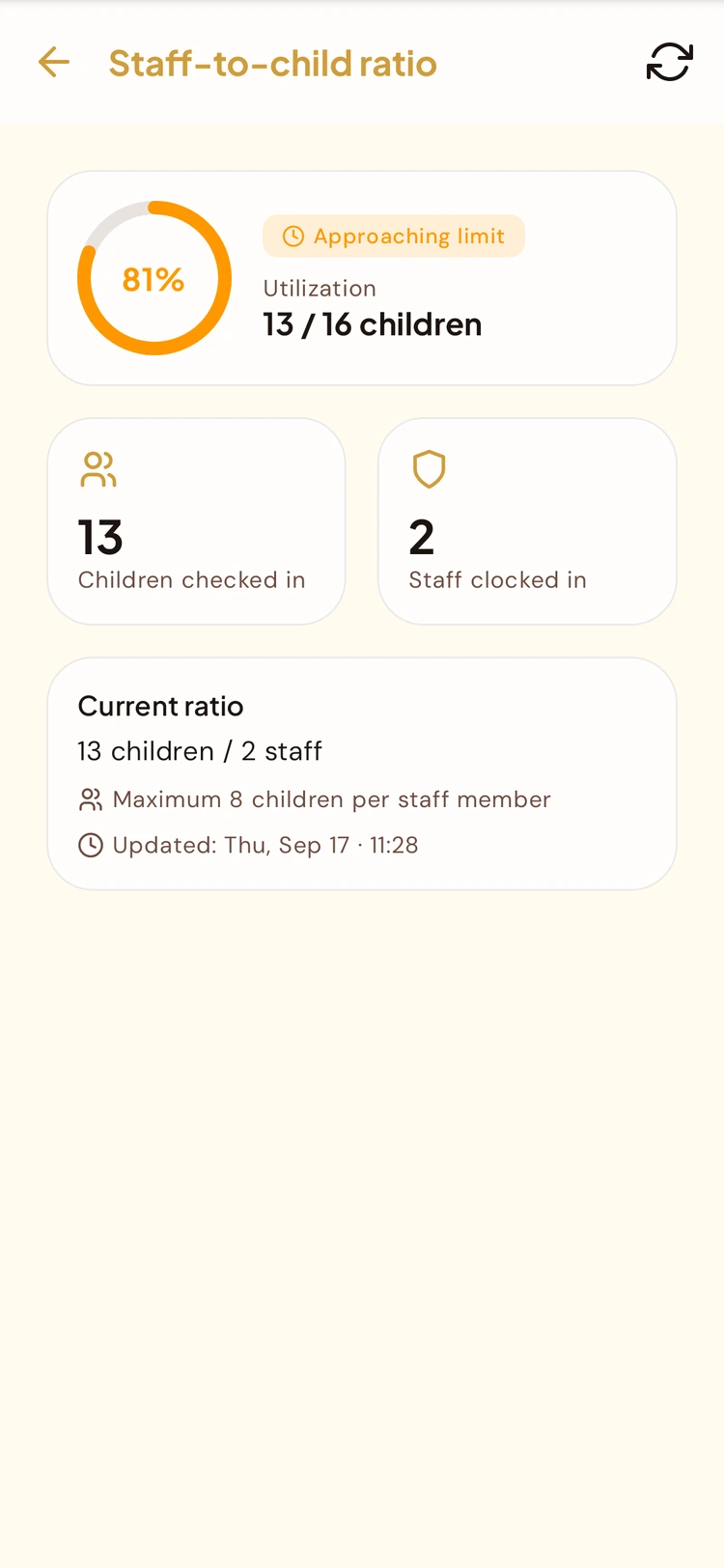
Set the maximum number of children per staff member for each room, starting from a country profile or your own figure. Instructors see their room's rule in the mobile app and administrators see it in the admin portal. Live ratio tracking and alerts are coming soon.
What You Can Do Today
Ratio rules set per room, visible to the people who need them.
A Ratio Rule for Each Room
Every room gets its own maximum number of children per staff member, instead of a single center-wide number.
Country Ratio Profiles
Start from a profile for France, the UAE, Saudi Arabia or the UK, then adjust it to the rules that apply to your center.
Visible to Instructors
The ratio rule appears on the instructor's room screen in the mobile app, so room staff know their limit without asking the office.
Live Tracking and Alerts
Live tracking of children against staff on duty, and alerts as a room nears its limit: Coming soon.
What the Ratio Monitor Module Does
Built for daycare directors who need a clear ratio rule for every room.
Per-Room Ratio Rules
Set the maximum number of children per staff member for each room and see it at a glance.
Country Profiles
Pick the profile for France, the UAE, Saudi Arabia or the UK as your starting point.
Customizable Ratios
Adjust a profile to match your center's policy or your licensing authority's requirements.
Admin Portal View
Administrators see the ratio rule set for each room in the admin portal.
Instructor Mobile Room Screen
Educators see their room's ratio rule in the mobile app.
Live Tracking, Alerts and Breach Log
Coming soon.
How It Works
Choose a country profile
Pick the profile that matches your country: France, the UAE, Saudi Arabia or the UK.
Set each room's ratio
Review the suggested maximum children per staff member for each room and adjust it to your center's needs.
Staff see the rule
Administrators see each room's rule in the admin portal, and instructors see theirs on the room screen in the mobile app.
Live tracking and alerts
Coming soon.
Why It Matters for a Daycare
Rooms with different age groups can each carry the ratio that fits them.
France, the UAE, Saudi Arabia and the UK, each adjustable to your center's rules.
Admin portal and instructor mobile app, so directors and room staff see the same limit.
Common Questions
Which countries have ratio profiles?
France, the UAE, Saudi Arabia and the UK. You can pick a profile or customize the ratio for your center.
Can I set a different ratio for each room?
Yes. Each room has its own maximum number of children per staff member.
Does Ratio Monitor track live headcounts and send alerts?
Live tracking of children checked in against staff on duty, alerts as a room nears its limit, and a breach log are coming soon.
Does Ratio Monitor make my center compliant?
No. Ratio Monitor helps you set and share the ratio rule for each room. Meeting your regulator's requirements remains your center's responsibility.
Is Ratio Monitor available for schools?
No. Staff-to-child ratio is a daycare concept, so Ratio Monitor is a Daycare-only module. It isn't available for school or sports club organizations.
Who can see a room's ratio rule?
Administrators in the admin portal, and instructors on their room screen in the mobile app.
Related features
See Ratio Rules for Your Rooms in a Demo
Book a demo to see how a country profile becomes a ratio rule for each room, in the admin portal and the instructor's mobile app.
Request Demo